

DATA
SOLUTION

Driving Data Solutions
A GPS device fitted to your company cars records location, routes and driving behavior.
It can also create daily driving reports automatically and estimate electricity costs if you switch to EVs.
PROBLEM
Common problems we hear about managing company cars
You don't know where each vehicle is right now
You phone drivers every time someone asks, and cannot send a job to the nearest vehicle.
You can't see idling or wasted fuel
Engines left running while parked and detours push fuel costs up.
You worry about dangerous driving and accidents
You can't see speeding or hard braking for each driver.
Daily reports and trip logs take too much time
Handwritten, self-reported logs take time to total and check.
With INNOFLEET, just plug in a device
and see your driving data automatically.
01 / CAR MANAGEMENT
Company Car Management
Records driving, stops and engine status, which you can check on the web or a smartphone
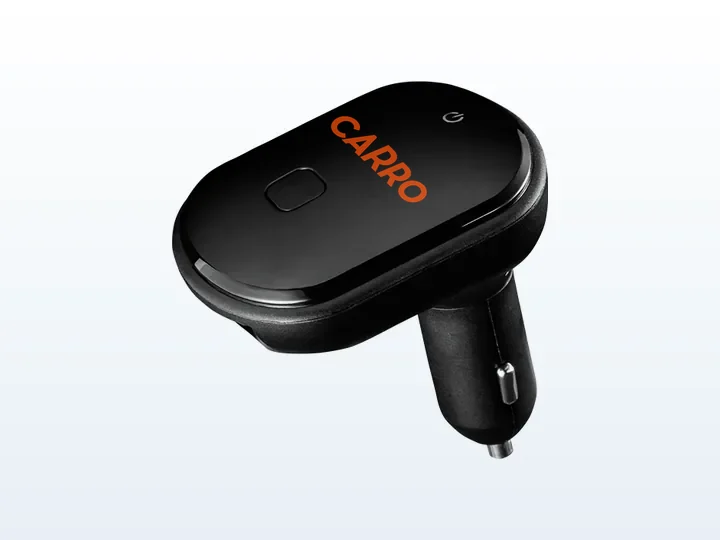
A device that plugs into the cigarette socket needs no installation work, and you can start with one vehicle.
As you add vehicles, you can still manage them all on one screen.
 01Speeding and hard-braking history
 02Driving records by driver and vehicle
 03Estimated fuel consumption
02 / SALES SUPPORT
Sales Activity Support
Scanning a QR code before driving links the driver to the trip record
Daily driving reports are created automatically from those records. You can also see which vehicles are free right now and how much each vehicle is used.
 01Automatic daily driving reports
 02Distance driven by each vehicle
 03Reviewing sales and delivery routes
03 / EV DIGITAL TWIN
EV Digital Twin
Compares a gasoline car and EVs on the same drive
Based on your current vehicle's driving data, we calculate electricity costs, battery level and CO2 if you switch to an EV.
Below is an example of one trip from Tokyo to Kamakura: fuel cost JPY 3,230, against an electricity cost of JPY 1,501 for a kei EV.
REAL | Driving data from the real world
 FromTokyoToKamakura
One trip from Tokyo to Kamakura in a gasoline car
- Fuel cost
- JPY 3,230 (19 L)
- CO2 emissions
- 44.8 kg
This driving data is copied into a virtual space, and the same drive is replayed with EVs
SIMULATIONCOMPLETEEV Digital Twin | Switching to an EV in a virtual space
CASE 01
Kei EV
Battery level - Electricity cost
- JPY 1,501−JPY 1,729
- CO2 emissions
- 32.0 kg−12.8 kg
CASE 02
Compact EV
Battery level - Electricity cost
- JPY 1,836−JPY 1,394
- CO2 emissions
- 39.1 kg−5.7 kg
CASE 03
Mid-size SUV
Battery level - Electricity cost
- JPY 2,278−JPY 952
- CO2 emissions
- 48.5 kg+3.7 kg
Differences are compared with the real gasoline-car data above. The battery level curves are drawn from the simulation results.
POINT
We also estimate power consumption and how much CO2 you could cut.
You can also ask us about introducing an energy management system.
ABOUT
What Is INNOFLEET?
INNOFLEET is a fleet management platform developed in-house by CARRO. Data sent from the devices is recorded and analyzed in the cloud, and you can check it at any time on the web or a smartphone.
- A system CARRO developed itselfIt records driving, stops and engine status in detail.
- Start with one vehicle, just plug it inThe cigarette-socket and OBD-II types need no installation work.
- Cars, motorbikes and bicycles on one screenManage all your vehicles together, whatever the type.
- Choose devices to suit the jobChoose from GPS devices, AI dashcams and Bluetooth tags.
- After you start, we report the analysisWe tell you what could be improved, based on the driving data.
FUNCTION
Main INNOFLEET Features
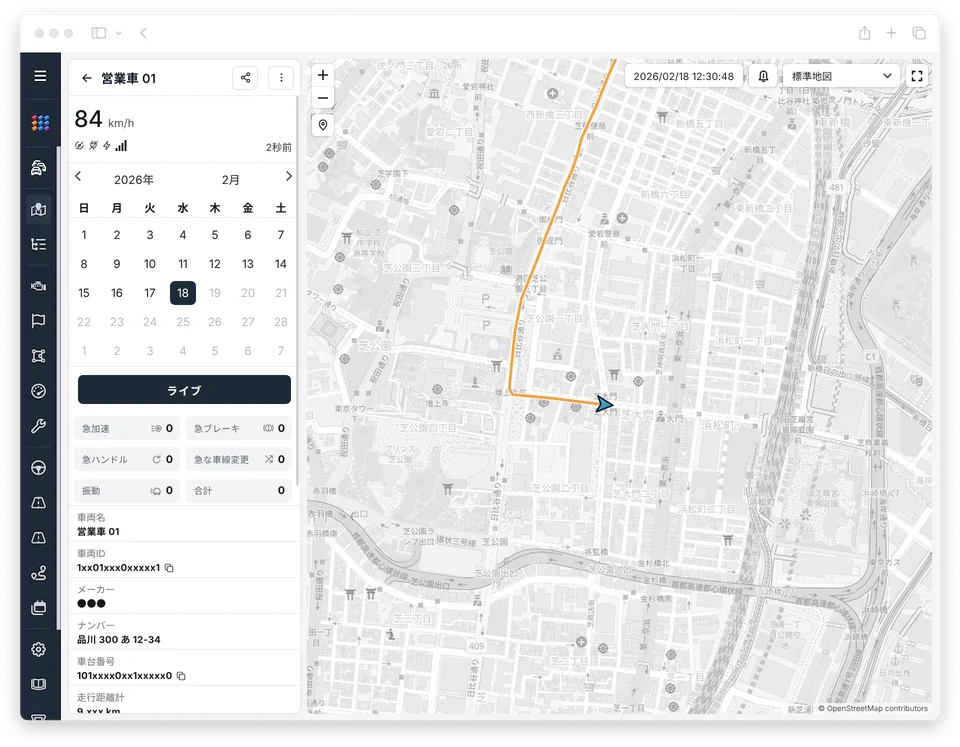
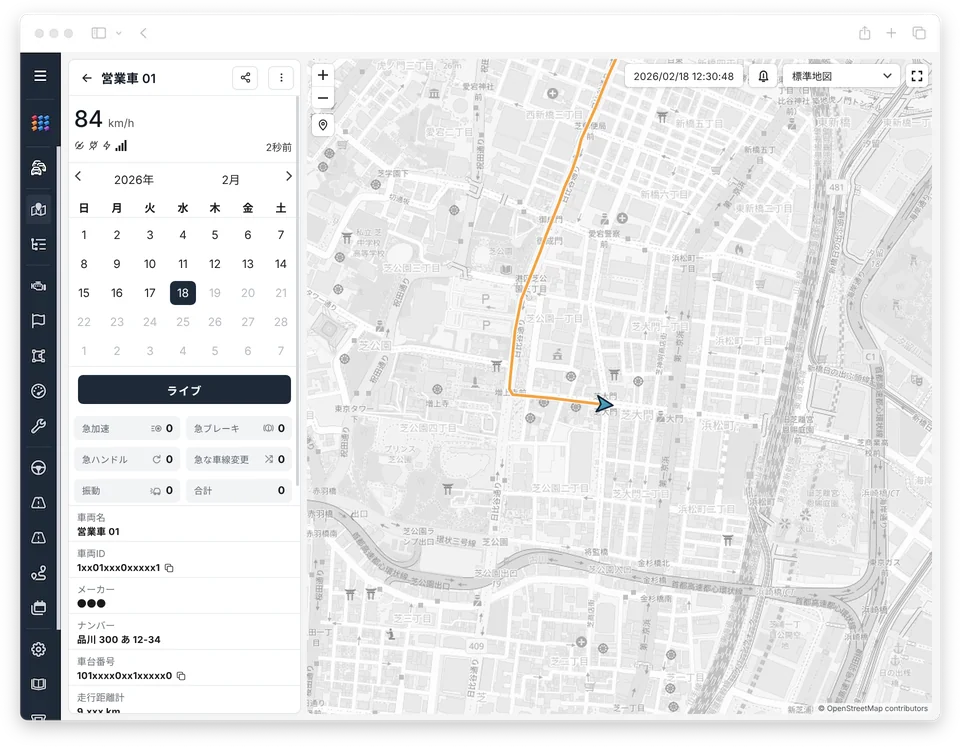
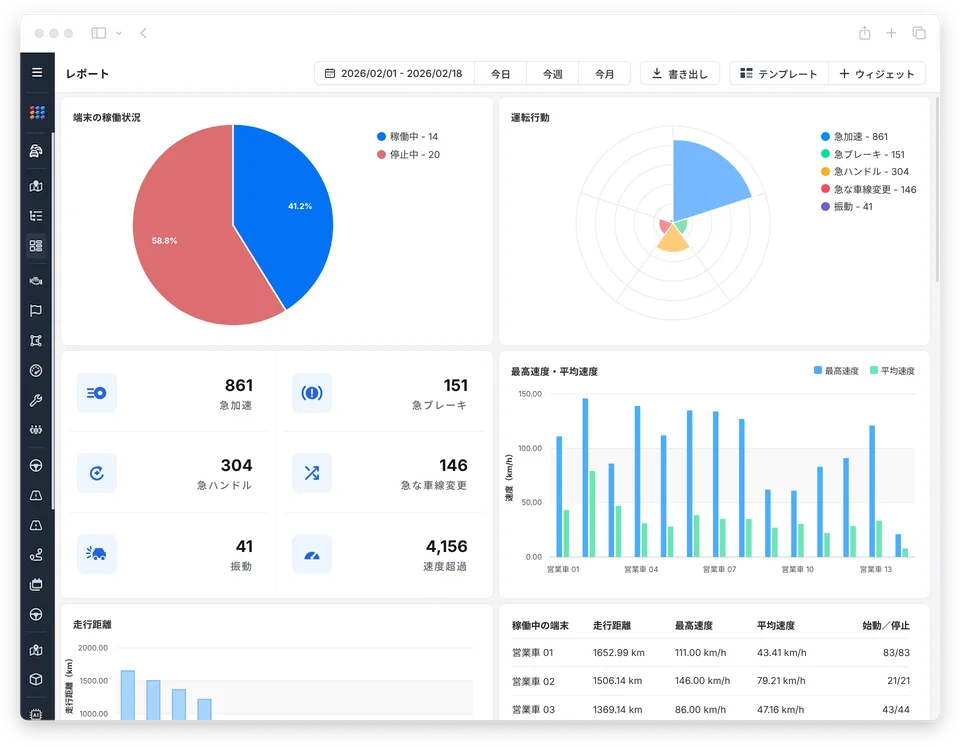
Check current location, trip history, idling, driving scores and daily reports on one screen.
Real-time location
See where your cars, motorbikes and bicycles are on the same map. Dispatching and answering inquiries get faster.
Trip history and route playback
Pick a date to look back at routes, stops and places visited.
Idling at a glance
Totals the time engines run while parked, and estimates fuel use and CO2.
Driving behavior analysis and scores
Detects speeding, hard acceleration and hard braking, and scores each driver.
Geofences and alerts
Notifies you on the spot when a vehicle enters or leaves an area, speeds and so on.
Automatic daily driving reports
Scanning a QR code links the driver to the trip record.
Protection against theft and misuse
Detects use outside working hours and suspicious movements, and notifies you.
Maintenance and reports
Manage inspection dates and export reports on driving trends.
* Screens are for illustration. The display language and items may differ from the actual screens.
* Available features depend on the device type and your contract.
DEVICE
Supported Devices
Choose from five types of device to suit the job. Manage cars, motorbikes and bicycles together on one screen.
GPS devices fitted to vehicles
Send location and driving data in real time over 4G LTE
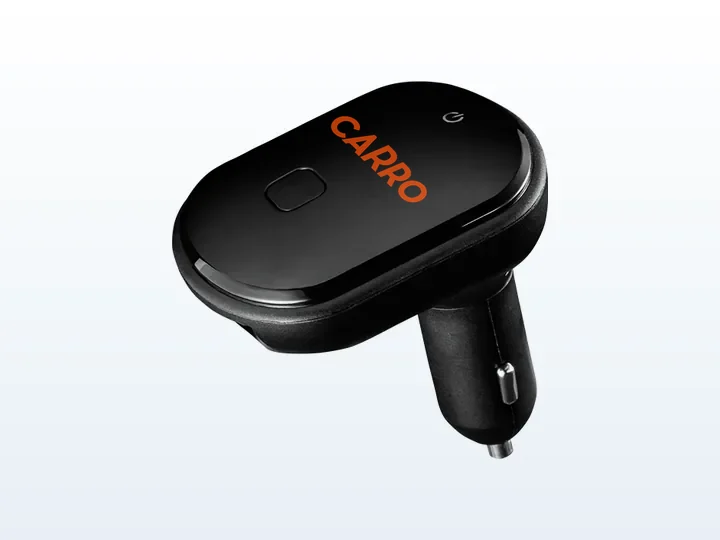
Cigarette-socket GPS
Plug it in and start using it
Just plug it into the cigarette socket. No installation work needed.
- Sales vehicles
- Dealer test-drive cars
- If you want an easy start
- Fitting
- Cigarette socket (no installation work)
- Network
- 4G LTE (Cat M1/NB2)
- Other
- SOS button, USB charging ports (A and C)
- Size
- 70.0 × 52.0 × 82.5 mm, 60 g
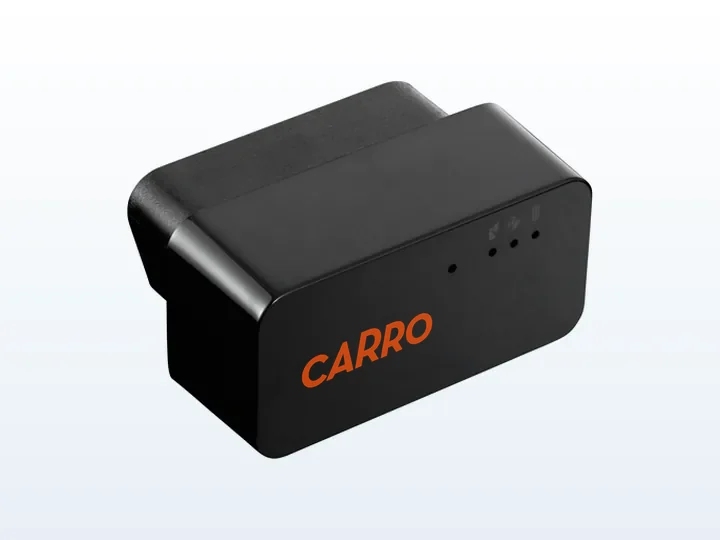
OBD-II GPS
Fits discreetly into the OBD-II port by your feet
Just plug it into the OBD-II port. It sticks out only 1.7 cm.
- Rental cars
- Logistics
- If you want it out of sight
- Fitting
- OBD-II port (no installation work)
- Network
- 4G LTE (Cat 1)
- Detects
- Hard acceleration, hard braking, sharp turns, collisions, removal
- Size
- 45.0 × 30.0 × 22.5 mm, 26 g
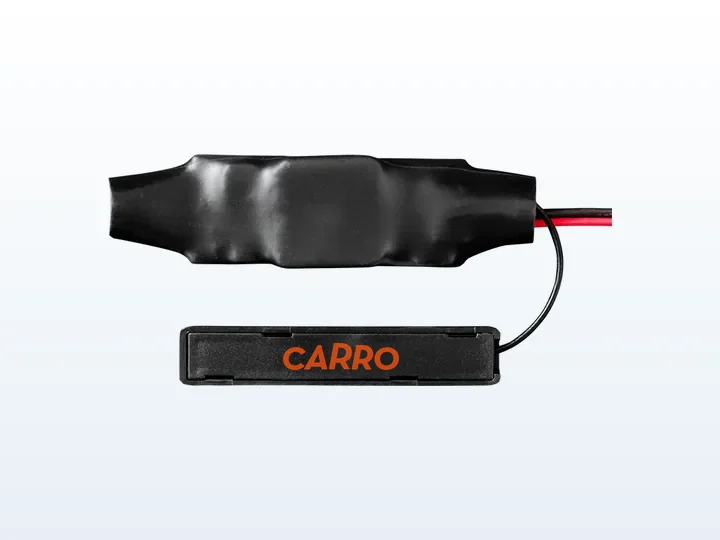
Small built-in GPS
Fits out of sight on EV bikes and bicycles
The small unit is wired in inside the body. It cannot be seen from outside, which also helps against theft.
- Recommended for EV bikes and bicycles
- Fitting
- Wired inside the body (installation work needed)
- Network
- 4G LTE (Cat 1)
- Power
- Input voltage 9–90 V / dust and water resistance IP44
- Size
- 49.0 × 20.0 × 9.2 mm, 24 g
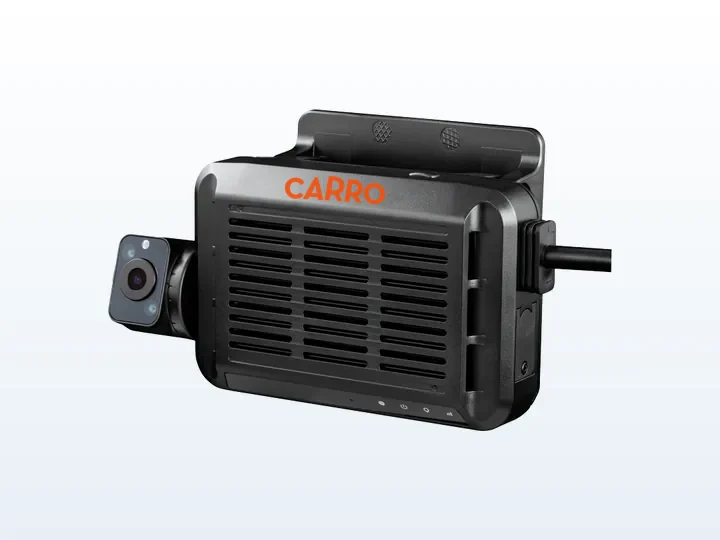
AI dashcam
Video and AI to prevent dangerous driving
AI detects the risk of a forward collision and signs of distraction or drowsiness. Video of dangerous moments is saved automatically.
- If you want to manage safe driving with video
- Fitting
- Mounted and wired in the cabin (installation work needed)
- Cameras
- Up to 3 (1080p)
- Other
- SOS button, remote fuel and power cut-off (option)
- Size
- 114.0 × 113.0 × 33.0 mm, 294 g
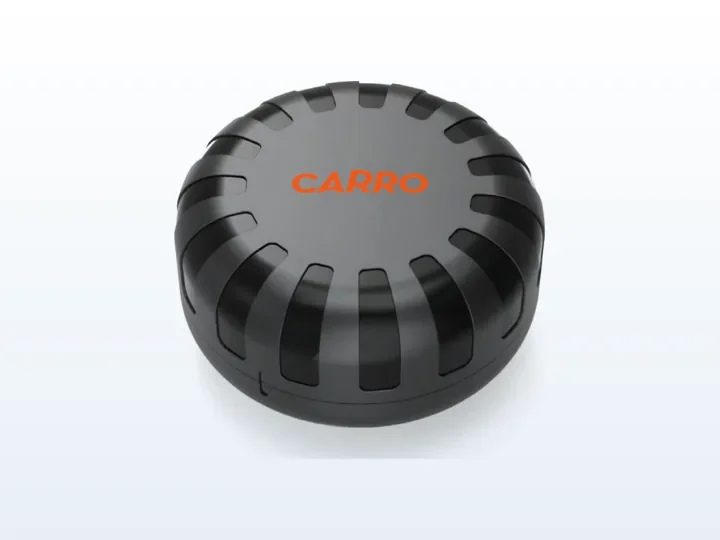
Bluetooth tag
No SIM or wiring. Attach it to vehicles or equipment to track location and movement history
Recommended
Small Bluetooth tag
Stick it on vehicles or equipment
No SIM or wiring. Fix it with double-sided tape or a magnet; the battery lasts up to 3 years.
- Vehicles, equipment and containers
- Network
- Bluetooth (no SIM)
- Battery
- Up to 36 months
- Fitting
- 3M double-sided tape, magnet
- Functions
- Area entry/exit alerts, movement history, 80 dB buzzer
* Specifications are the manufacturers' published figures. The INNOFLEET features available depend on the device.
* We will suggest which devices to combine after hearing about your vehicles and how you use them.
USE CASE
Use Cases
Any business that uses cars, motorbikes or bicycles can use it, whatever the industry.
Logistics and delivery
Know where delivery vehicles are, for smoother dispatching and inquiries.
LP gas and energy
See the movements of delivery, safety and meter-reading vehicles, and send the nearest one.
Sales and company cars
Record places visited and distance automatically, and spend less time on daily reports.
Construction and building services
Keep track of work vehicles, heavy machinery and site equipment.
Rental and leasing
Know where vehicles on hire are, as protection against misuse and theft.
Shuttles (care, schools, etc.)
Know where shuttle vehicles are, to tell people when they will arrive and to manage safe driving.
FLOW
How to Get Started
Inquiry
Tell us the number and types of vehicles and what you need help with.
Consultation and proposal
We tell you which devices and features suit your vehicles, and a cost estimate.
Contract and fitting
Plug-in devices need no installation work. Ask us about devices that need wiring.
Start using it
Check right away on the web or a smartphone.
Analysis and report
We analyze the driving data and report what could be improved.
FAQ
FAQ
Can we start with just one vehicle?
Yes, you can start with one. As you add vehicles, you can still manage them all together on one screen.
Can it manage motorbikes and bicycles too?
Yes. Cars, motorbikes and bicycles can be checked together on the same screen. For EV bikes and bicycles, we recommend the small GPS device fitted inside the body.
Does fitting require installation work?
The cigarette-socket and OBD-II GPS devices just plug in, with no installation work. Bluetooth tags are simply stuck on with double-sided tape or a magnet. The built-in GPS device and the AI dashcam need wiring, so please ask us how they are fitted.
Can it be added to vehicles we already use?
Yes. INNOFLEET works by adding devices to the vehicles you already use. We ask about the model and year, whether there is a cigarette socket or OBD-II port and so on, and tell you which device fits.
What information can we see?
Current location, routes, stops, speed, engine on/off, and driving behavior such as hard acceleration and hard braking. From these you can see idling time, scores for each driver, estimated fuel consumption and more.
Can we check from a smartphone?
Yes. Besides a web browser, you can use the smartphone and PC apps, so you can see how your vehicles are doing while you are out.
What can Bluetooth tags be used on?
Besides cars and other vehicles, they can be attached to equipment, tools and containers. No SIM or wiring is needed; fix them with double-sided tape or a magnet.
Can it connect with our business systems?
We are jointly exploring services that use vehicle data with Minos Co., Ltd., which provides "Power Net G4", a core business system for the LP gas industry (announced February 2026). Please ask us about connecting with other systems.
How much does it cost?
We quote individually, based on the number of vehicles, the devices and the features you use. Please feel free to contact us.
CONTACT
Just comparing or
need a rough estimate?
We usually reply to inquiries within 3 business days (weekdays 10:00–18:00 Japan time).
 CARRO JAPAN Assistant